How to select a series of line
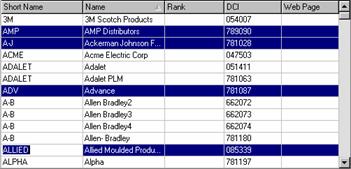
To select several lines, not necessarily one right after the other, select the first line by clicking on it once with the Enter (primary) mouse button, then press and hold the Ctrl key while clicking once on the other lines with the primary mouse button.
Using the example in Figure 1, click on AMP, Ctrl-click on A-J, Ctrl-click on ADV, Ctrl-click on ALLIED. Only those lines that you selected are highlighted.
Figure 1